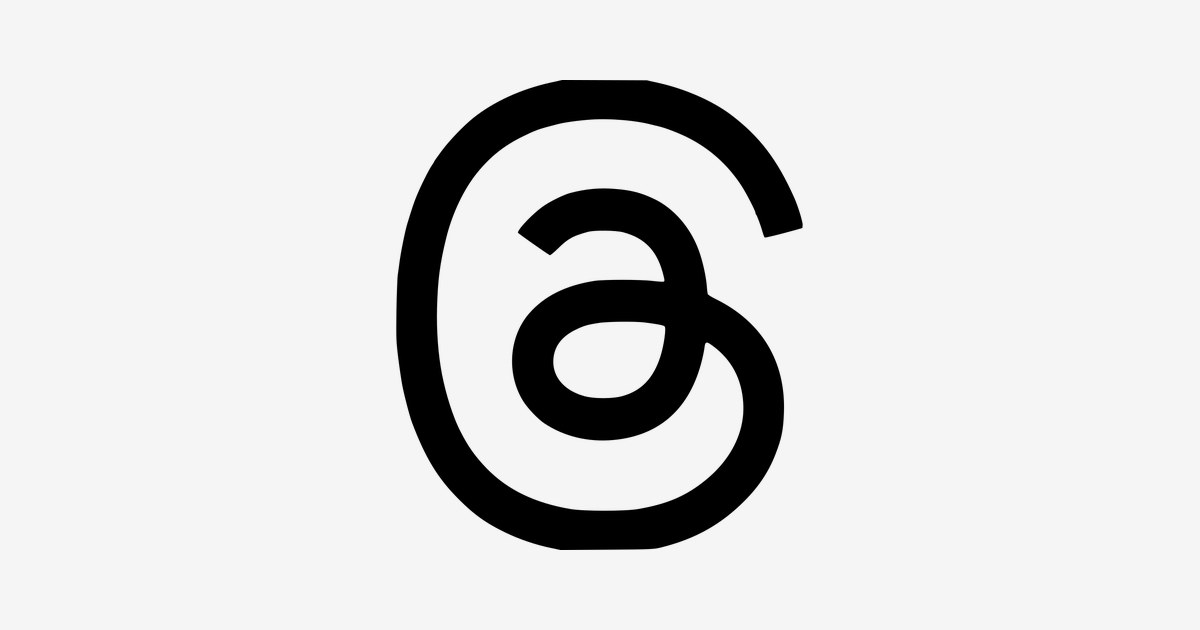
The Threads logo history is short — the app launched in July 2023 — but its meaning has already been buried under memes. Instagram head Adam Mosseri explained it himself: the mark is the @ sign, standing for a username, an individual and a voice, redrawn as a single unbroken line inspired by the loop seen when a thread starts. A refreshed mark rolled out in May 2026 as Threads stepped out of Instagram’s shadow. This post separates the real story from the noise, and points to a clean SVG and transparent PNG download.
Introduction
The Threads logo — a single continuous loop that reads as a stylized “@” symbol — became one of the most debated brand marks of 2023. When Meta launched Threads on July 5, 2023, the app attracted more than 100 million sign-ups in its first five days, making it the fastest-growing consumer app in history at the time. Almost immediately, the internet began arguing about what the logo actually depicts: an @ sign, a tangled thread, a paperclip, an ear, or something else entirely.
If you are searching for the Threads logo, you are looking for the official mark of Meta’s text-based social network — the Instagram team’s answer to X (formerly Twitter). This article traces the history of the Threads logo, explains what the looping symbol means, and breaks down the brand’s strictly monochrome color palette.
Threads Brand Overview
Threads is a text-first social networking app developed by Meta Platforms, built by the Instagram team and launched on July 5, 2023. The app arrived at a pivotal moment: Twitter had just been rebranded to X by Elon Musk, and millions of users were looking for an alternative place for public, text-based conversation. Threads let users sign up with their existing Instagram accounts, instantly inheriting Instagram’s social graph — a distribution advantage that powered its record-breaking launch.
Positioned as a companion app to Instagram rather than a replacement, Threads focuses on short-form text posts (up to 500 characters), replies, and reposts. While its initial explosive growth cooled as the novelty faded, Meta has continued to invest in the platform, integrating it tightly with Instagram and the wider fediverse through ActivityPub support.
History of the Threads Logo
The Threads logo was unveiled together with the app in July 2023. From the very beginning, Meta’s design team committed to a black-and-white identity — a deliberate break from Instagram’s famous color gradient. According to Instagram’s director of brand design Cynthia Pratomo, speaking to It’s Nice That, there was excitement from the start about the black-and-white direction: while Instagram’s gradient represented the color spectrum of photography, black and white could represent text.
Other concepts explored during development included an “illustrated notepad in the style of the Instagram camera lens” and an @ symbol “housed in the Instagram squircle container” — both were rejected in favor of the free-floating loop. The logo has remained unchanged since launch, staying consistent as the app itself evolved.
Threads Logo Meaning: What Does the Loop Symbolize?
Meta has kept the official explanation deliberately open, but the symbolism is widely understood:
- The @ symbol: The mark is a continuous line that forms the shape of an “@” — the character that defines usernames and mentions across the internet, and the linchpin of online identity since the early days of email and social media.
- Threaded conversation: By drawing the @ as one unbroken loop, the logo suggests dialogue that keeps going — individual voices connected in an ongoing thread of conversation.
- Text over image: The confident monochrome palette is itself the message. Where Instagram’s gradient celebrated photography, Threads’ black and white announces that this is a space for words.
- Open interpretation: The Rorschach-like quality is intentional. People have seen a tangled thread, a paperclip, even an ear in the mark — and that ambiguity invites the very conversation the app is built for.
The companion wordmark is set in Instagram Sans, the custom typeface developed by Colophon Foundry for Instagram’s 2022 rebrand, keeping Threads visually tied to its parent app.
Threads Logo Colors
The Threads identity is one of the most disciplined in tech: just black and white, used with total confidence.
| Color | Hex Code | Usage |
|---|---|---|
| Threads Black | #000000 | Primary logo color — the @ mark on light backgrounds, app icon background |
| Threads White | #FFFFFF | Reversed logo — white mark on black, wordmark accents |
| Link Blue | #385898 | Interface accent — links, verification ticks, and hover states in the app UI |
The strict monochrome rule extends to usage guidelines: Meta specifies solid black or white backgrounds for the logo, with no gradients, patterns, or busy imagery behind it, and clear space equal to 25% of the icon’s width on all sides.
Conclusion
The Threads logo proves that a mark doesn’t need color — or even a single clear reading — to succeed. A simple black-and-white loop, evoking the @ symbol and the endless thread of conversation, carried Meta’s new app to the biggest launch in consumer-app history and gave the text-social wars their most distinctive emblem.
Whether Threads ultimately overtakes its rivals or not, its looping @ has earned a place in branding history: the mark that said text deserved its own visual language.
Looking for the logo files? Download the Threads logo in SVG and transparent PNG formats from VectorDose.
Download the Threads logo in SVG and transparent PNG
Download the Threads logo on VectorDose in SVG and transparent PNG, with the official brand colours listed on the page. Use the SVG as your master file and export a PNG at the exact size each use needs — and always copy the brand colours exactly, never recolour the artwork.
Frequently asked questions about the Threads logo
What does the Threads logo mean? The story above traces the mark’s history and meaning — read it in full, because the meaning sits in the design details, not in a single symbol.
What colours does the Threads logo use? Use the colours shown in the story above and on the brand’s official pages, copied exactly. Never recolour the artwork to fit your own palette.
Can I download the Threads logo in SVG and PNG? Yes. Download the Threads logo on VectorDose in SVG and transparent PNG, with the official brand colours listed on the page.
SVG or PNG — which format should I use? Use the SVG as your master file for websites and anything that scales. Export a transparent PNG at the exact pixel size when the destination cannot use vectors, such as a slide deck or a social post.